Quick Lock
Shake your phone and DedBult locks instantly, from any screen.
DedBult is a private vault for your photos, videos, files, documents, BlackBook notes and private contacts. One PIN opens your real vault. Up to five others open believable decoys. Everything in your vault stays on your phone.
Coming soon to iPhone and Android.
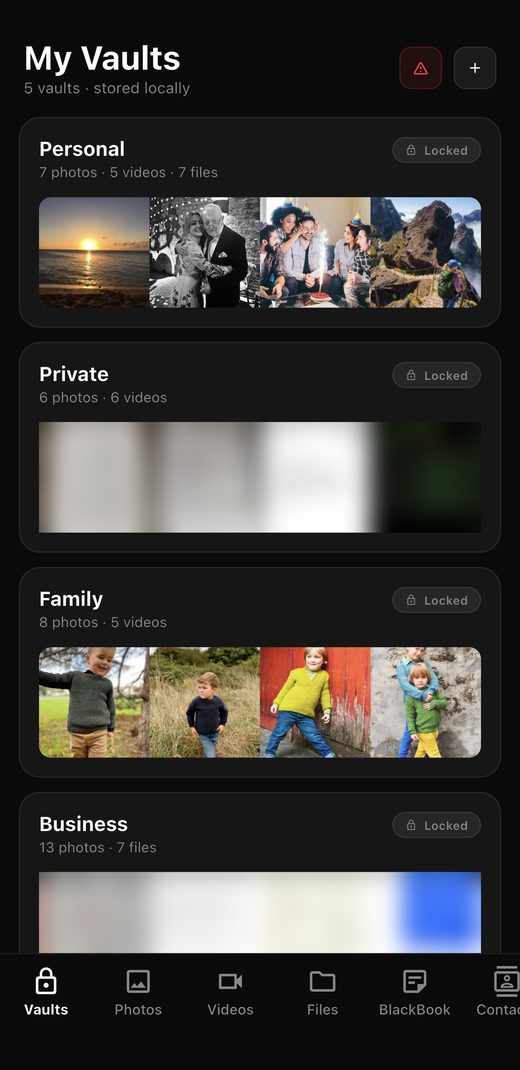 Primary PIN · your real vault
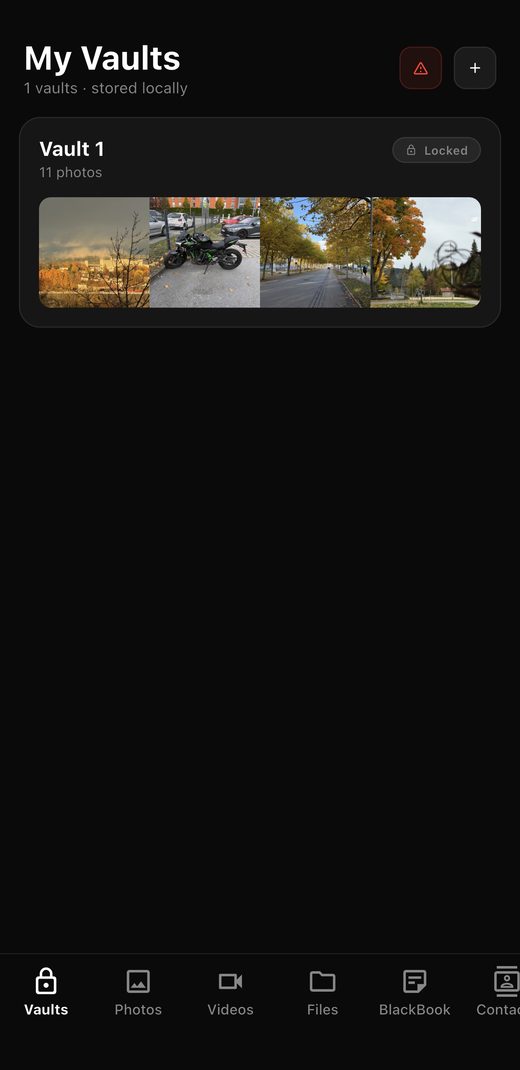 Decoy PIN · looks real, hides the rest
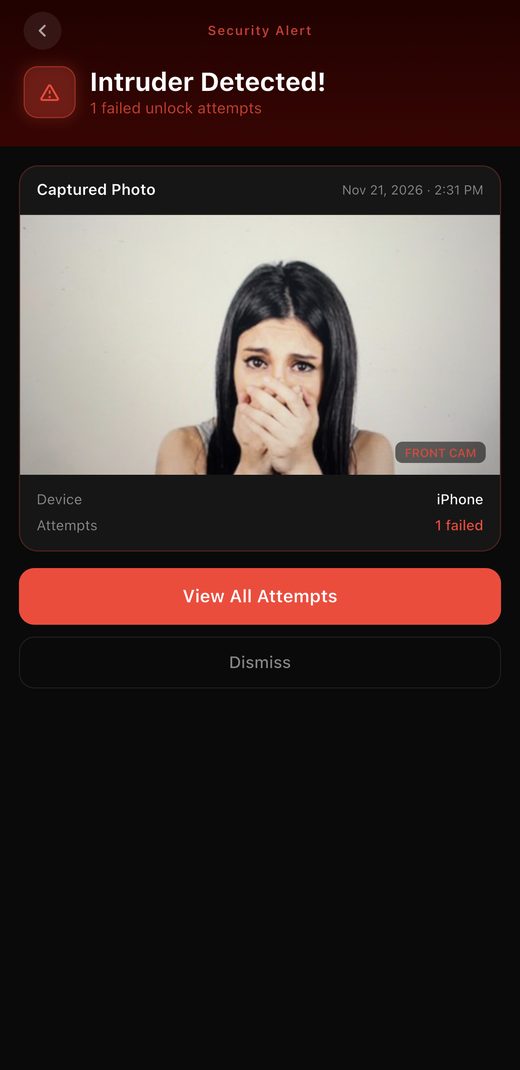 2 wrong PINs · Intruder Alert
Try it: 8462 opens the real vault, 1234 opens a decoy. Any other PIN twice triggers Intruder Alert.
Keep photos, videos, PDFs, documents, receipts and scanned records in separate vaults like Personal, Family, Work or Financial. Name them however you like and move items between them.
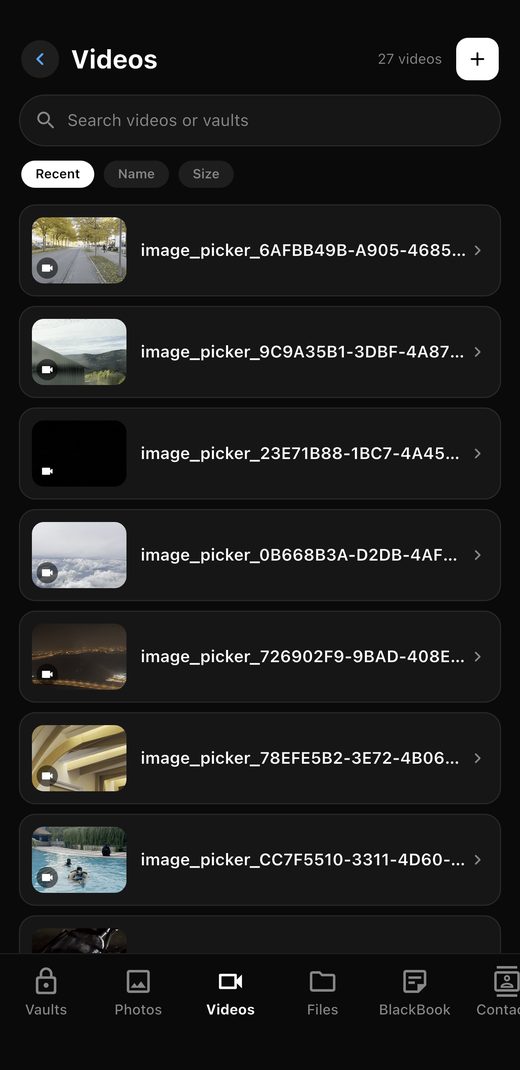
If someone pressures you to open DedBult, enter a decoy PIN instead. They get in, see a vault that looks complete, and have no way to know your real one exists. You can set up to five decoys, each with its own photos, files and BlackBook.
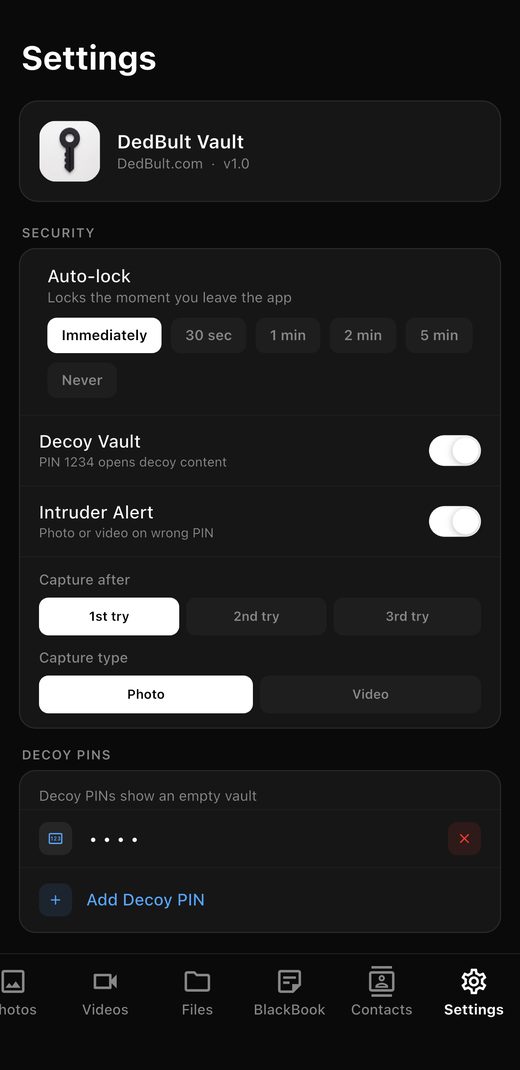
Choose whether DedBult acts after the 1st, 2nd or 3rd wrong PIN, and whether it takes a front-camera photo or a 5, 10, 15 or 30 second video. Every attempt goes into Intruder History with the date, time and number of tries.
Camera capture works where iOS and Android allow it and needs camera permission.
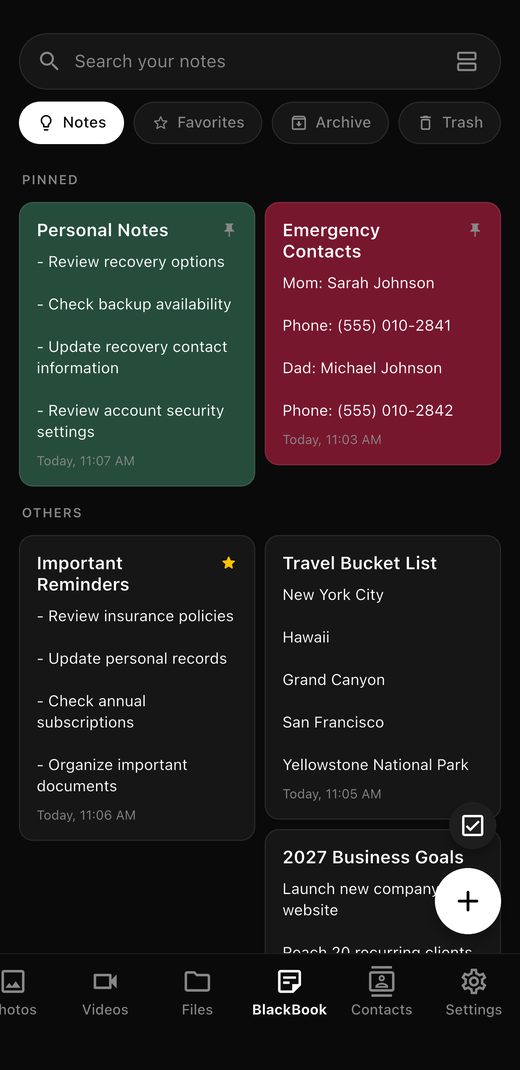
A private journal and notepad behind your PIN. Keep personal notes, lists, reminders, ideas and anything else you'd rather not leave in your normal Notes app.
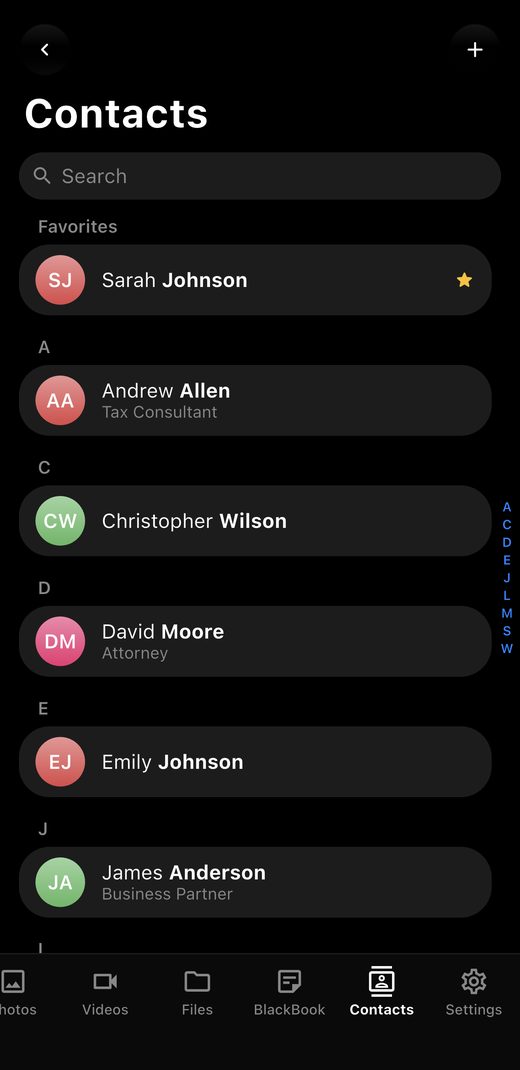
Save the people you'd rather keep private, like your lawyer, tax consultant or a business partner, in a contact list only DedBult can open. They don't appear in your phone's Contacts app.
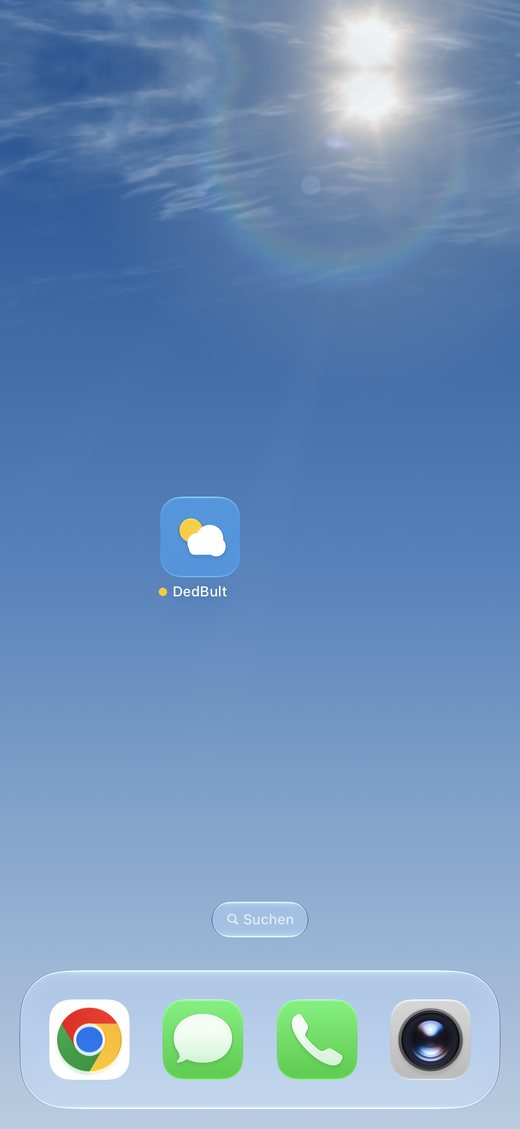
Turn on Hide App Icon and pick one of 15 everyday looks. On your home screen DedBult shows up as Weather, Calculator, Notes or another ordinary icon, so it doesn't stand out. Open it and your DedBult PIN screen appears.
What can change (icon, name) depends on your phone's operating system.
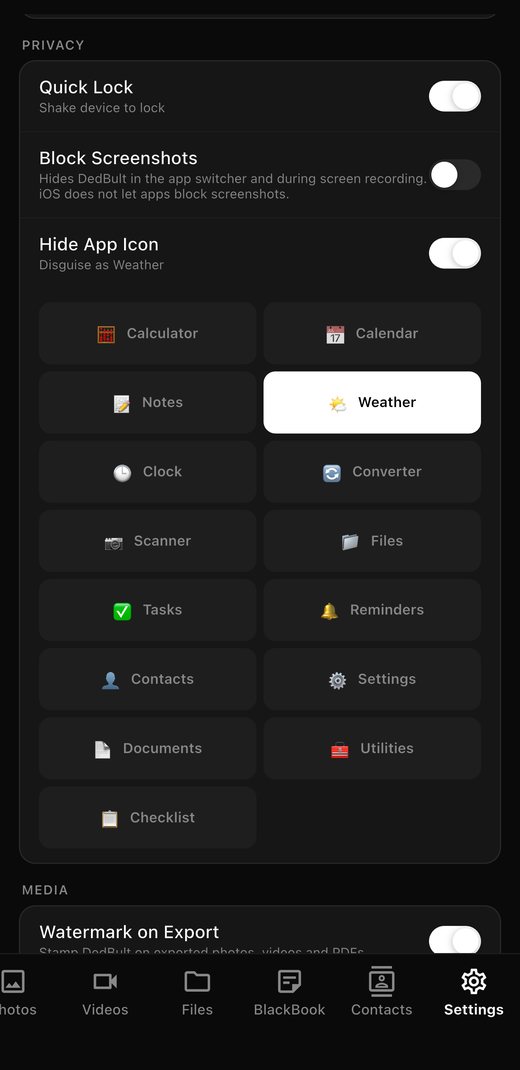
Shake your phone and DedBult locks instantly, from any screen.
Lock immediately, or after 30 seconds, 1, 2 or 5 minutes away.
Hides DedBult in the app switcher and during screen recording, where supported.
Save your vaults to a .zip file you control, or restore one on a new phone.
Optionally stamp DedBult on photos, videos and PDFs you share.
See exactly how much space each vault takes on your device.
Privacy is also about what an app leaves out.
Choose and confirm your Primary PIN. It opens your real vault.
Import photos, videos and files, and sort them into vaults.
Create up to five decoy PINs and give each one believable content.
Set Intruder Alert, Auto-Lock, Quick Lock and your app disguise.
Every feature, every vault, every decoy.
About $0.83 a month, billed once a year.
Subscription Terms · Subscription renews automatically each year unless cancelled at least 24 hours before the end of the current period. Manage or cancel anytime in your App Store or Google Play settings.
On your phone. DedBult keeps vault content locally and does not upload it to a DedBult cloud vault. We use services like the App Store, Google Play and our subscription provider only for things like purchases and account emails, never for your vault content.
Each decoy PIN opens its own separate vault with its own photos, videos, files and BlackBook. Inside a decoy there is no label or setting that reveals your real vault or the other decoys. You can only create or change decoys from your real vault.
DedBult tries to take a front-camera photo or short video after the number of wrong attempts you choose. It needs camera permission, and how it behaves depends on what iOS and Android allow on your device.
Because the PIN you enter decides which vault opens. A fingerprint can't tell DedBult whether to show your real vault or a decoy, so access is PIN-only by design.
On Android, DedBult can block screenshots of protected screens. On iPhone, apps can't block screenshots, but DedBult hides its content in the app switcher and during screen recording.
Because your vault lives on your device, keep regular backups with Backup & Transfer. It saves your vaults to a .zip file you control, which you can restore on a new phone.